


Blushy-Face Swap,AI Tool&Talk
2.756.00 Reviews
App Specs
- Version
- 1.0.9
- Updated On
- License
- Free
- Downloads
- 100,000+
- Developer
- BULK BROTHERS WPB LLC
- Categories
- Art & Design
- Platform
- Android
Screenshots
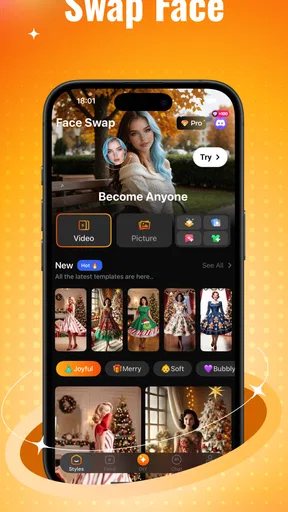
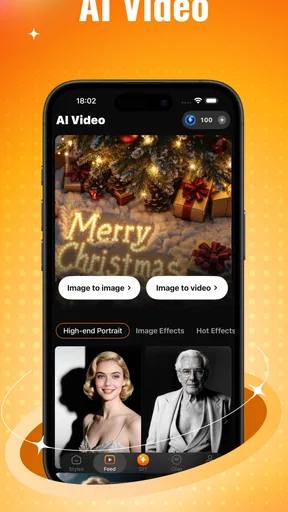
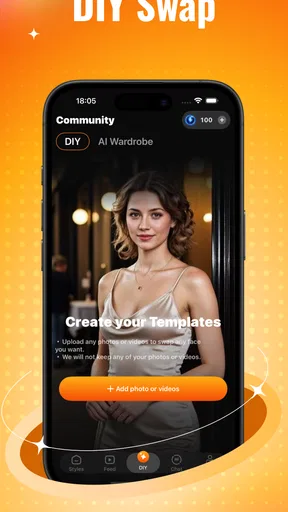
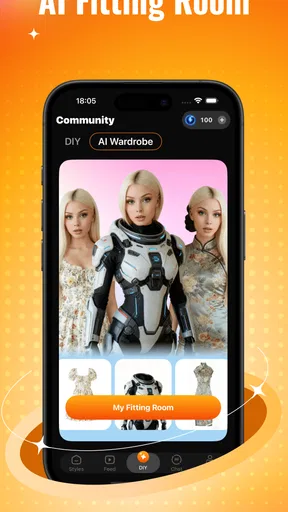
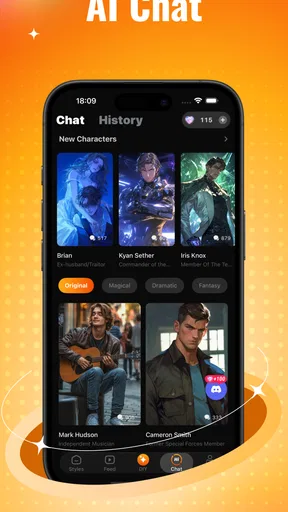
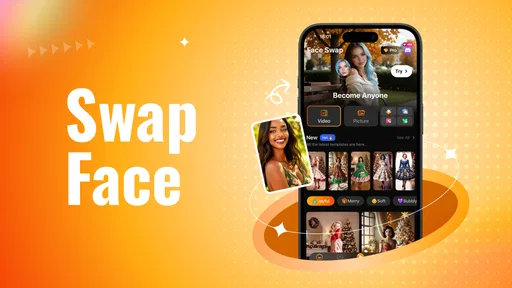
 Analysis by AppCompare
I judge a playful app by a simple test: does it still earn a place on my phone once the first burst of curiosity is gone? Blushy-Face Swap, AI Tool & Talk makes a lively first impression by putting face edits and AI conversation together, but its longer-term appeal depends on whether those separate activities fit into routines you already enjoy. I’d approach it as a casual creativity app, not a tool I need every day.
The first sessions are easy to fill
The immediate draw is the chance to make a familiar photo feel surprising. A face swap can turn an ordinary selfie into a quick joke to share with a friend, while outfit and image transformations invite a little more experimentation. That variety gives a new user several ways to play before deciding which part is actually worth returning to.
My practical tip is to begin with a clear, well-lit photo and a face that is easy to distinguish. That gives an editing tool a better starting point and makes it easier to judge whether the result looks amusing, convincing, or simply odd. I’d also try one change at a time: if I swap a face, alter the look, and apply another effect all at once, it becomes harder to tell which choice helped the image.
The app’s blend of visual play and chat is useful when I don’t have a specific creative task in mind. I can make something silly, then switch to a conversation rather than opening a second app. That convenience is also a trade-off: someone who only wants precise photo retouching may find the broader entertainment focus less direct than a dedicated editor.
A small, realistic reason to reopen it
Picture a quiet evening when a group chat is going nowhere. I could pick a consenting friend’s photo, make a lighthearted edit, and send it as a conversation starter. If the image looks awkward, that may still be part of the joke; if I need a polished result for a profile or a work presentation, I’d use a conventional editor instead. The difference is the goal: quick amusement here, dependable control elsewhere.
That distinction matters with face editing. I’d avoid using another person’s image in a way that could embarrass or mislead them, and I’d be especially careful before sharing an edit beyond a private joke. The same image can read as harmless among friends and confusing without context to everyone else.
What earns repeat use—and what may not
Blushy sits between a focused face-swap app, a general photo editor, and a conversational AI tool. A specialist editor is usually the better choice when I want careful adjustments and predictable control over a finished image. A broad chat assistant makes more sense when conversation is the main reason I’m opening an app. Blushy’s appeal is the combination: it suits people who want to move between quick visual experiments and casual AI interaction without treating either as serious work.
Worth Reading Before You Choose

EA SPORTS FC Mobile 26 Is a Bigger Football Game, but It Takes Time

Flipboard Shows What News Apps Must Do Beyond the Feed

Switching to Android Auto Means Rethinking Your Driving Routine

Google Calendar Makes a Crowded Week Easier to Manage

Ludo King Makes the Most of the Minutes Between Plans

Baby Panda World Brings Quick Play to Modern Phones, but Its Game Library Feels Busy
For recurring value, I’d look for personal prompts rather than expecting endless novelty. A themed image for a friend’s birthday, a playful before-and-after for a private album, or a new visual idea for a group chat can give the creative tools a reason to come back. The chat feature can be a separate source of light entertainment, but I wouldn’t rely on it for important advice or expect every response to be useful. When the novelty of the effects fades, a specific occasion or a social purpose is more likely to bring me back than browsing filters without a plan.
There is also a sensible stopping point. If I repeatedly open the app, make one similar edit, and close it, that’s a sign its main trick has become familiar. I’d keep it only if the mix of tools keeps producing moments I want to share or if I enjoy the chat independently. Someone who wants a polished portfolio, detailed image control, or a dependable source for consequential guidance should choose a more specialized option.
First Impressions and Features
Right off the bat, the app’s interface is super user-friendly. You know that feeling when you open an app and it just feels right? That’s what I got with Blushy-Face Swap. The layout is clean, intuitive, and easy on the eyes. It doesn’t bombard you with a million options, which is a huge plus in my book.
The main feature, as the name suggests, is the face swap capability. Whether you want to swap faces with your favorite celebrity or just have a laugh with friends, this app does it all. The AI is pretty remarkable at blending features seamlessly, making the swaps look surprisingly real.
Exploring the AI Tool
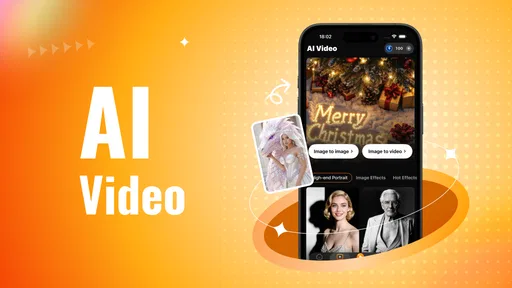
Now, let’s talk about the AI tool. This isn’t just your run-of-the-mill face swapper. The AI can perform some pretty nifty tricks. You can alter expressions, adjust facial features, and even age yourself up or down. It’s like having a mini Photoshop right in your pocket, but way easier to use.
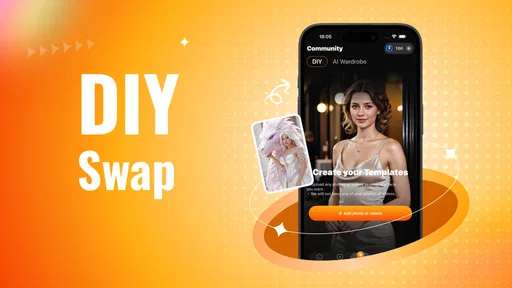
Feeling playful? You can transform your selfie into a cartoon or even swap faces with a pet. The app’s AI has a library of filters and effects that keep things interesting and creative.
Chatting with AI
Here’s where it gets even more interesting – the talk feature. It’s like having a chat with an AI buddy. Whether you want to ask random questions, get some advice, or just mess around, the AI responds with pretty engaging and sometimes humorous replies. It’s not perfect, but it’s definitely entertaining.
Getting Started
Setting up the app is a breeze. You download it, and within minutes, you’re ready to dive into the world of face swapping and AI chats. The app doesn’t require a lengthy registration process, which is always a relief. Plus, it’s available on both Android and iOS, so no one’s left out.
Once you’re in, the home screen gives you quick access to the main features. Just snap a pic or upload one from your gallery and let the AI work its magic. The app also provides a tutorial for newbies, which is a thoughtful touch.
Keeping the fun from turning into friction
Because image making is the part most likely to prompt repeat use, I’d treat each session like a tiny project: choose the purpose first, select one image, and decide whether the result is good enough to share before making more variations. That approach avoids spending a long stretch cycling through effects just because they are available. It also makes the app easier to judge: if the finished image serves the joke or idea, the session has done its job.
One question people often have is whether this is a sensible place for sensitive photos. I’d be selective with any image-editing or AI service and avoid uploading pictures I would not want to use in an online creative tool. For casual experiments, a non-sensitive selfie or an image shared with permission is a safer choice. The same caution applies to chat: I would keep personal details out of a conversation that is meant mainly for entertainment.
Another practical consideration is the cost model. The app is free to start, while it also offers in-app purchases priced from $4.99 to $149.99 per item. I’d explore the free experience before buying anything and check what a purchase covers at the point of purchase. That is especially useful if I only want to make an occasional edit; a one-off novelty may not justify spending, while someone who returns often may decide the extra options are worthwhile.
The app is aimed at Teen users, so I’d still treat its AI conversations and image edits with ordinary judgment rather than assuming every output is suitable for every situation. It is entertainment, not a substitute for careful advice, and an edited face can be misleading if it is shared without context. Keeping creations clearly playful is the easiest way to avoid awkward misunderstandings.
What Keeps Me Hooked
The app is a great way to kill time and unleash your creativity. The face swaps are not only fun but also a neat way to surprise friends on social media. The AI chat function, although not groundbreaking, adds a unique twist and keeps the app refreshing.
Another thing that stood out to me is how smoothly everything runs. I didn’t experience any crashes or lags, which is crucial for an enjoyable user experience. The developers clearly put a lot of effort into making the app stable and efficient.
How I’d judge its staying power
In the Art & Design category, I see this as a playful side tool rather than a replacement for a full creative workspace. It is most useful when the brief is loose—make a funny image, try a different look, or have a casual AI chat. If I needed layers, fine-grained controls, or a carefully consistent visual style, I’d turn to a dedicated editor. That comparison is not a knock on Blushy; it is simply a matter of matching the tool to the job.
Its maintenance burden seems low in the everyday sense: it is the kind of app I can open for a short creative break without building a complicated workflow around it. The bigger burden is deciding whether the novelty still feels fresh and whether paid options make sense for how often I use it. I would not keep buying access simply to chase a new effect; I’d want a clear use for it first.
For a new user, the useful questions are straightforward. Can I try it without paying? Yes, it is free to download, though purchases are available. Is it for serious photo work? I would not choose it for that; its appeal is quick experimentation. Is the chat a reliable adviser? I’d use it for casual conversation, not important decisions. Does it make sense to keep installed? Only if I enjoy returning to the mix of image play and chat, rather than just liking the first result.
Blushy-Face Swap, AI Tool & Talk is published by BULK BROTHERS WPB LLC. It has a 3.3 average from 152 ratings, with 50K+ installs, and its current version is 1.0.3. It was released on Dec 17, 2025, and requires Android 8.0 or later. Those details suggest a modestly established app, but they do not change my main recommendation: judge it by the quality of your own first few edits and whether you actually want to return.
Final Thoughts
To wrap things up, Blushy-Face Swap, AI Tool & Talk is a delightful app that brings a fresh take to face swapping and AI interaction. It’s not just an app for goofing around – it’s a versatile tool that sparks creativity and provides entertainment.
Whether you’re a tech-savvy individual or just someone looking for a fun way to pass the time, this app has something to offer. So, if you haven’t tried it yet, go ahead and give it a shot. You might find yourself pleasantly surprised, just like I was.
Pros
- User-friendly interface for easy navigation.
- Real-time face swap with high accuracy.
- Wide range of filters and effects available.
- Fast processing even on older devices.
- Integrates well with social media platforms.
Cons
- Limited free features
- requires subscription.
- Occasional glitches in face alignment.
- Large app size takes up significant storage.
- Advertisements can be intrusive at times.
- Requires stable internet for optimal performance.
FAQs for Blushy-Face Swap,AI Tool&Talk
What is Blushy-Face Swap, AI Tool&Talk?
Blushy-Face Swap, AI Tool&Talk is an innovative app that utilizes advanced AI technology to swap faces in photos and videos seamlessly. Additionally, it offers a unique chat feature powered by AI for engaging conversations. The app is designed to provide users with entertainment and creative expression through its easy-to-use interface.
Is Blushy-Face Swap, AI Tool&Talk free to use?
Blushy-Face Swap, AI Tool&Talk offers a free version with basic features. However, to access premium tools and remove ads, users may need to subscribe to a paid plan. This subscription model ensures that the app can continue to offer high-quality services and regular updates.
How secure is my data with Blushy-Face Swap?
Blushy-Face Swap prioritizes user privacy and data security. The app employs encryption to protect user data and complies with industry standards for data protection. It’s advisable to review the app’s privacy policy to understand how your data is collected and used before downloading.
What devices are compatible with Blushy-Face Swap?
Blushy-Face Swap is available for both Android and iOS devices. It requires a minimum OS version to function smoothly, so users should ensure their devices are updated. Check the app store for specific compatibility details related to your device model and operating system version.
Can I use Blushy-Face Swap offline?
Blushy-Face Swap requires an internet connection for certain features, such as AI chat and downloading new face-swapping effects. However, basic face-swapping can be done offline once the app is installed. Always ensure you have a stable internet connection for the best experience.


